Industrial equipment. Informed decisions.8483454@gmail.com

Equipment category

Industrial networking & computing
Buying guides & project requirements.

Define your application, required output and site conditions before comparing equipment proposals.

Clear filters

Showing 1–14 of 14 equipment guides.

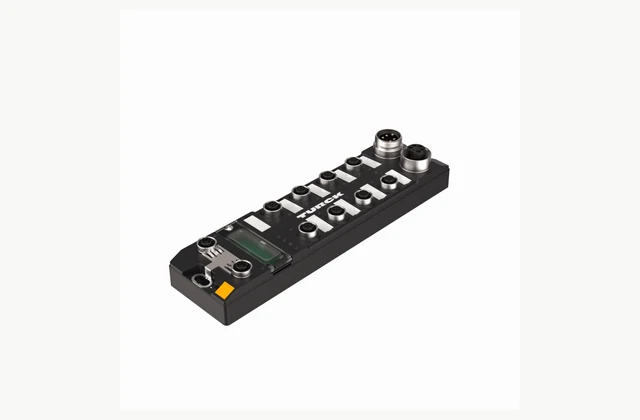
Official TURCK TBEN-L5-8IOL IO-Link master showing device and network connectors
INDUSTRIAL AUTOMATION

IO-Link masters

Connect intelligent sensors and actuators using an IO-Link master matched to your PLC network, port power and machine environment. Compare device mapping, engineering files, diagnostics and replacement procedures, with clear requirements for cable kits, configuration services and OEM or ODM integration.

Explore the buying guide

Reference: TURCK TBEN-L5-8IOL
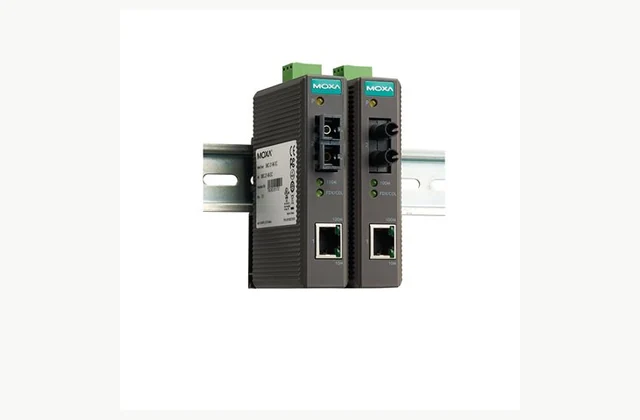
Moxa IMC-21 Series official product reference; configuration shown for illustration
INDUSTRIAL AUTOMATION

Industrial Ethernet media converter

Connect copper Ethernet equipment to an optical fiber link where distance, electrical isolation or installation conditions require a media converter. Compare configuration, interfaces and acceptance evidence before requesting an application-specific quotation or OEM/ODM feasibility review.

Explore the buying guide

Reference: Moxa IMC-21 Series

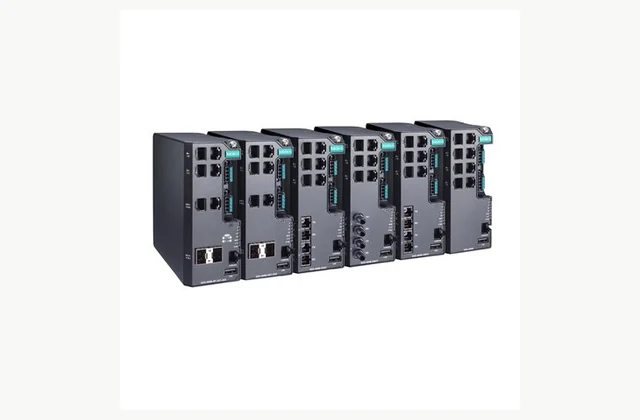
Moxa EDS-4008 Series official product reference; configuration shown for illustration
INDUSTRIAL AUTOMATION

Industrial managed Ethernet switch

Connect industrial network segments with the port mix, management functions and environmental suitability required by the plant architecture. Compare configuration, interfaces and acceptance evidence before requesting an application-specific quotation or OEM/ODM feasibility review. Document required network behavior.

Explore the buying guide

Reference: Moxa EDS-4008 Series

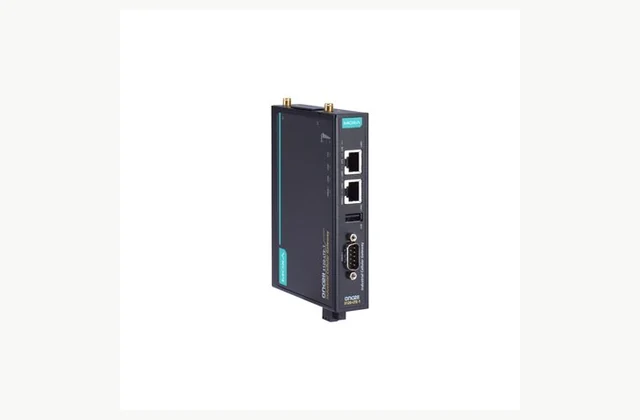
Moxa OnCell 3120-LTE-1 Series official product reference; pictured configuration is illustrative
INDUSTRIAL AUTOMATION

Industrial cellular gateway

Connect remote industrial assets over a cellular network with a gateway selected for local coverage, field interfaces and controlled remote access. Define the network and application before comparing hardware, then include antennas, data services and commissioning responsibilities in the inquiry.

Explore the buying guide

Reference: Moxa OnCell 3120-LTE-1 Series

HBK HBM QuantumX MX840B official product reference; pictured configuration is illustrative
INDUSTRIAL AUTOMATION

Industrial data acquisition unit

Acquire engineering measurements with a data acquisition system matched to sensor types, bandwidth, synchronization and recording needs. Define the measurement chain before selecting channels, then compare signal conditioning, software and calibration as part of the complete purchase.

Explore the buying guide

Reference: HBK HBM QuantumX MX840B

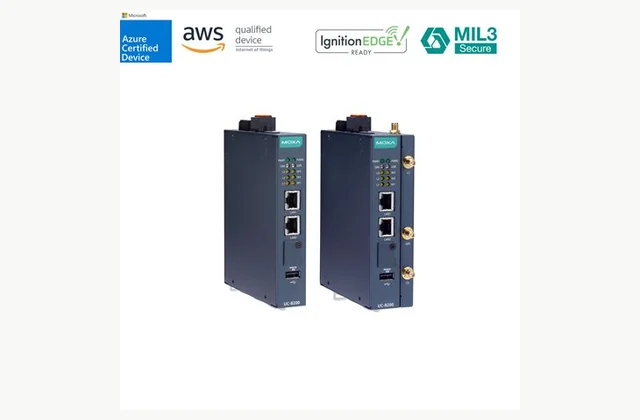
Moxa UC-8200 Series official product reference; pictured configuration is illustrative
INDUSTRIAL AUTOMATION

Industrial edge computer

Process field data close to industrial equipment using an edge computer matched to software, device interfaces and lifecycle needs. Compare the complete operating environment and deployment method, including storage, updates and service, rather than selecting by processor name alone.

Explore the buying guide

Reference: Moxa UC-8200 Series

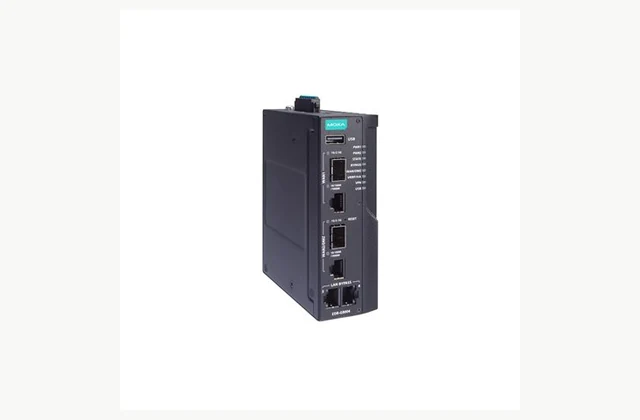
Moxa EDR-G9004 Series official product reference; pictured configuration is illustrative
INDUSTRIAL AUTOMATION

Industrial network router

Connect industrial network segments with a router selected for address management, routing and controlled access. Begin with the network diagram and communication flows, then compare the exact interfaces, software functions and recovery requirements for the proposed installation.

Explore the buying guide

Reference: Moxa EDR-G9004 Series

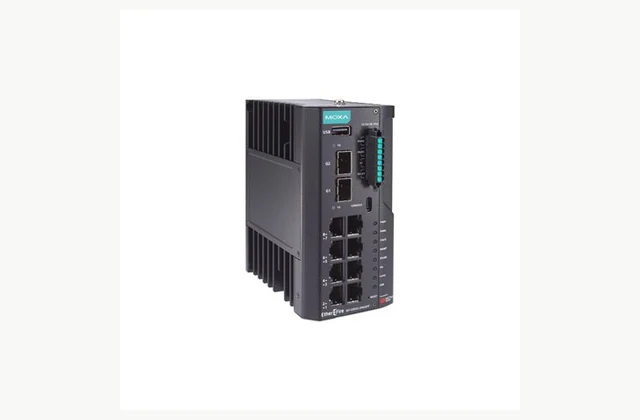
Moxa IEF-G9010 Series official product reference; pictured configuration is illustrative
INDUSTRIAL AUTOMATION

Industrial network security appliance

Protect defined industrial communication boundaries with a security appliance selected for the network, protocols and operational constraints. Evaluate inspection, policy management and availability as part of an engineered security design, with clear update and incident responsibilities after commissioning.

Explore the buying guide

Reference: Moxa IEF-G9010 Series

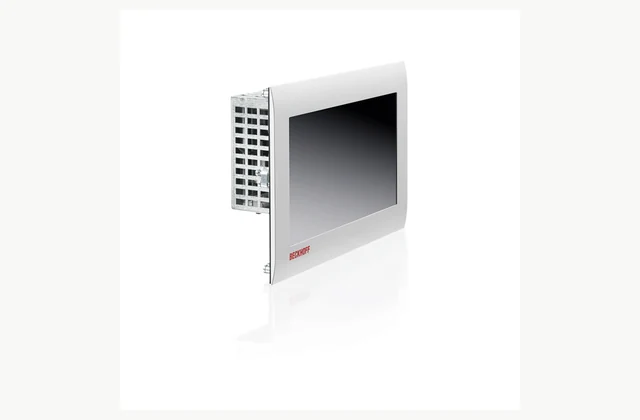
Beckhoff CP6700 CP6706 official product reference; pictured configuration is illustrative
INDUSTRIAL AUTOMATION

Industrial panel PC

Combine an operator display and computing platform with a panel PC selected for software, mounting and the actual machine environment. Compare touch operation, connections, power and recovery requirements so the delivered interface remains usable and maintainable throughout the equipment lifecycle.

Explore the buying guide

Reference: Beckhoff CP6700 CP6706

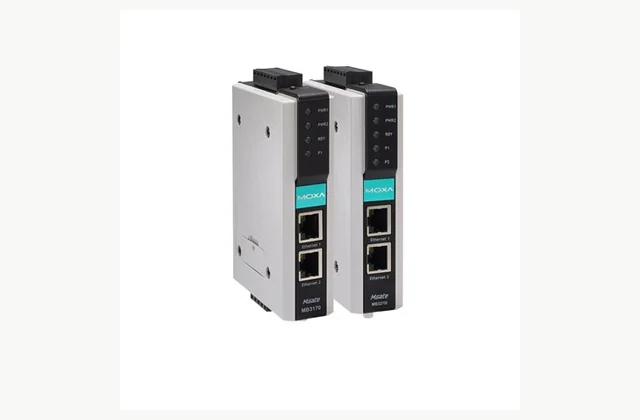
Moxa MGate MB3170 MB3270 Series official product reference; pictured configuration is illustrative
INDUSTRIAL AUTOMATION

Industrial protocol gateway

Connect equipment using different industrial communication protocols with a gateway chosen for exact protocol roles, data mapping and application behavior. Define the devices and required exchanges before comparing ports, then validate the proposed configuration with representative equipment.

Explore the buying guide

Reference: Moxa MGate MB3170 MB3270 Series

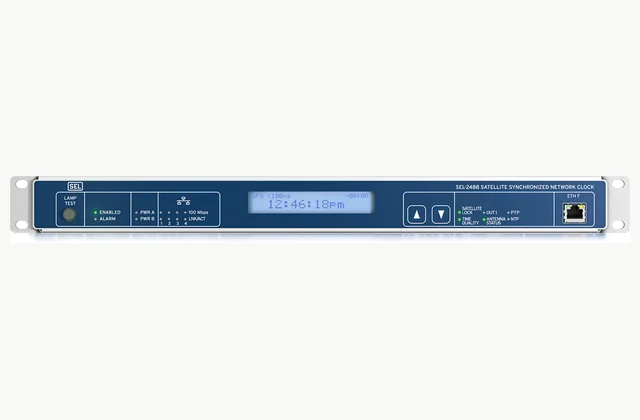
SEL SEL-2488 official product reference; pictured configuration is illustrative
INDUSTRIAL AUTOMATION

Industrial time synchronization device

Distribute time to industrial equipment with a clock selected for the required reference sources, output protocols and timing performance. Compare the complete antenna and network arrangement, holdover behavior and monitoring so timestamp requirements become a verifiable installation scope.

Explore the buying guide

Reference: SEL SEL-2488

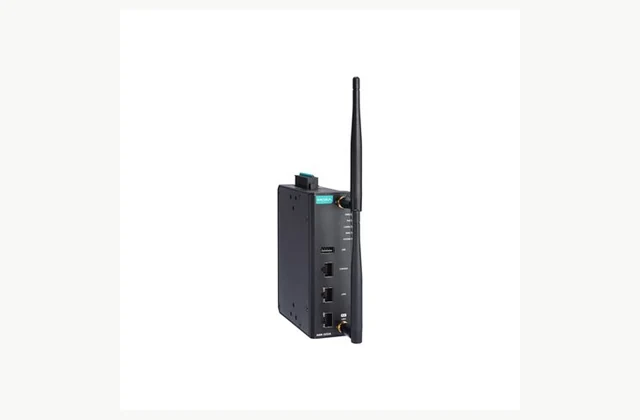
Moxa AWK-3252A Series official product reference; pictured configuration is illustrative
INDUSTRIAL AUTOMATION

Industrial wireless access point

Build industrial Wi-Fi using an access point, bridge or client selected for the radio environment, mobile devices and network policy. Compare coverage and roaming through an installation survey and representative tests, with antennas and destination variants included in the equipment scope.

Explore the buying guide

Reference: Moxa AWK-3252A Series

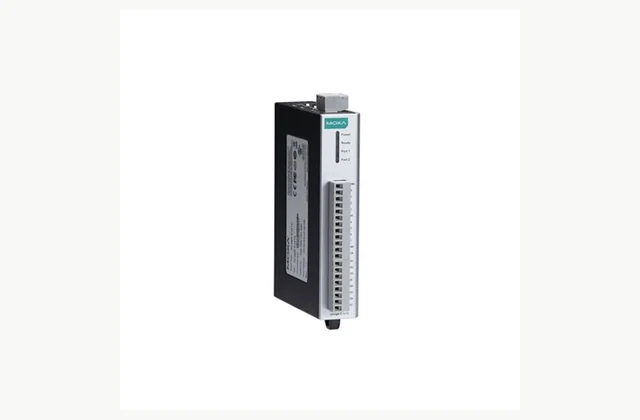
Moxa ioLogik E1200 Series official product reference; pictured configuration is illustrative
INDUSTRIAL AUTOMATION

Industrial remote I/O module

Connect distributed field signals to a controller or supervisory system with remote I/O selected for signal types, network protocols and failure behavior. Build a channel schedule first, then compare wiring, power and configuration as a complete cabinet and application interface.

Explore the buying guide

Reference: Moxa ioLogik E1200 Series

Moxa NPort 6100 6200 Series official product reference; pictured configuration is illustrative
INDUSTRIAL AUTOMATION

Industrial serial device server

Connect serial equipment to an Ethernet network with a device server selected for electrical interfaces, application mode and host support. Compare transparent transport, virtual ports and security requirements separately from protocol conversion, then test timing and recovery with the actual legacy device.

Explore the buying guide

Reference: Moxa NPort 6100 6200 Series

Build a comparable request

Start with the work your equipment needs to do.

Share the application, required output, destination, utilities, quantities and planned timing. For OEM / ODM projects, include the branding, configuration or engineering changes, sample approval and acceptance requirements.

Practical buying decisions

Guides for this equipment category.

More buying guides ↗
Industrial automation

Serial device server: RFQ Checklist and Quotation Review

A comparable serial device server quotation starts with application, electrical, settings. Record the required result, site interfaces and acceptance evidence in one revision-controlled RFQ. IndustryApex engineers use these inputs to define the equipment, integration and OEM/ODM scope for your project.

RFQ & acceptance · 5 min read
Read the guide
Industrial automation

Remote I/O module: RFQ Checklist and Quotation Review

A comparable remote I/O module quotation starts with channels, electrical, host. Record the required result, site interfaces and acceptance evidence in one revision-controlled RFQ. IndustryApex engineers use these inputs to define the equipment, integration and OEM/ODM scope for your project.

RFQ & acceptance · 5 min read
Read the guide
Industrial automation

Industrial wireless access point: RFQ Checklist and Quotation Review

A comparable industrial wireless access point quotation starts with roles, survey, variant. Record the required result, site interfaces and acceptance evidence in one revision-controlled RFQ. IndustryApex engineers use these inputs to define the equipment, integration and OEM/ODM scope for your project.

RFQ & acceptance · 5 min read
Read the guide
WhatsApp